
Outline:
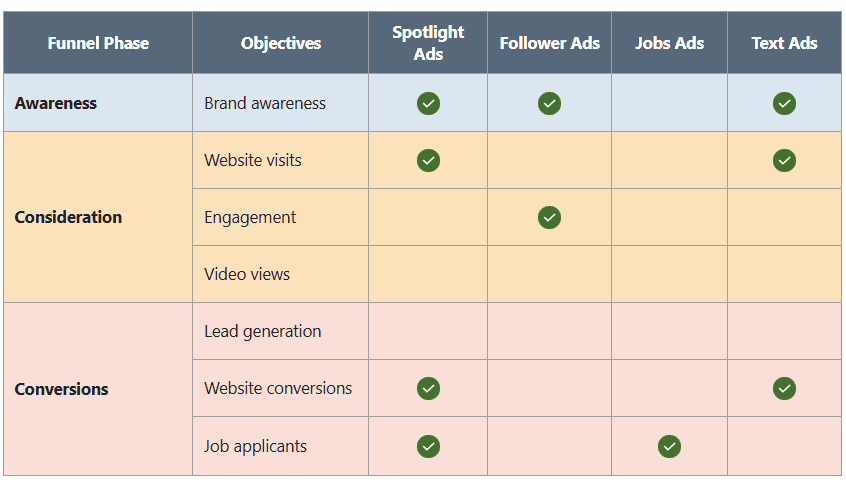
Introduction to Linkedin Ad Formats – Choose the right ad formats for marketing success, Ad formats per objective, Ad format categories, Audience actions.
Sponsored Content Ad Formats – Sponsored content overview, feature unique perspectives with Thought Leader Ads, Single image ads, Video ads, Article and Newsletter Ads, Carousel ads, Event Ads, Document Ads.
Sponsored Messaging Ad Formats – Sponsored messaging overview, Message ads, conversation ads.
Dynamic and text ad formats – Dynamic and Text ad formats, Spotlight ads, Follower ads, Jobs ads, Text ads, Knowledge Check.
About this Handbook
Linkedin offers a wide array of ad formats to help your campaigns attract and engage audience.
This handbook will outline the types of ads available, how to select the best format for your objective, how ads are set up, and how each ad displays to the audience.
What you’ll learn
After going through this handbook, you will be able to:
- Identify the types of Linkedin ad formats advertisers use in their ad campaigns.
- Decide which ad formats you want to create.
- Describe how and where those ads appear in members’ Linkedin feeds and messaging.
- Choose which ad fits your marketing campaign objective.
This course is for you if
- You’re new to Linkedin Advertising.
- Want to learn about ad formats that are new to you.
Topics
Ad formats, article and newsletter ads, Campaign Manager, carousel ads, click-to-message ads, conversation ads, document ads, event ads, follower ads, jobs ads, message ads, single image ads, spotlight ads, text ads, thought leader ads, video ads.
Choose the Right Ad Format for Marketing Success
Every Linkedin marketing campaign follows a marketing funnel:
- Awareness – Make people aware of your brand, product or service.
- Consideration – Encourage people to learn more and engage with your business.
- Conversion – Motivate people to take a valuable action like submit a lead form, signing up, or making a purchase.
To succeed on Linkedin, you need to engage the right audience in a way that helps you achieve your campaign objective.
One of the most important decisions when creating a campaign is choosing the right ad format.
Linkedin offers many different ad formats, including some that are unique and not available on other advertising platforms.
How Campaign Objectives Affect Ad Formats?
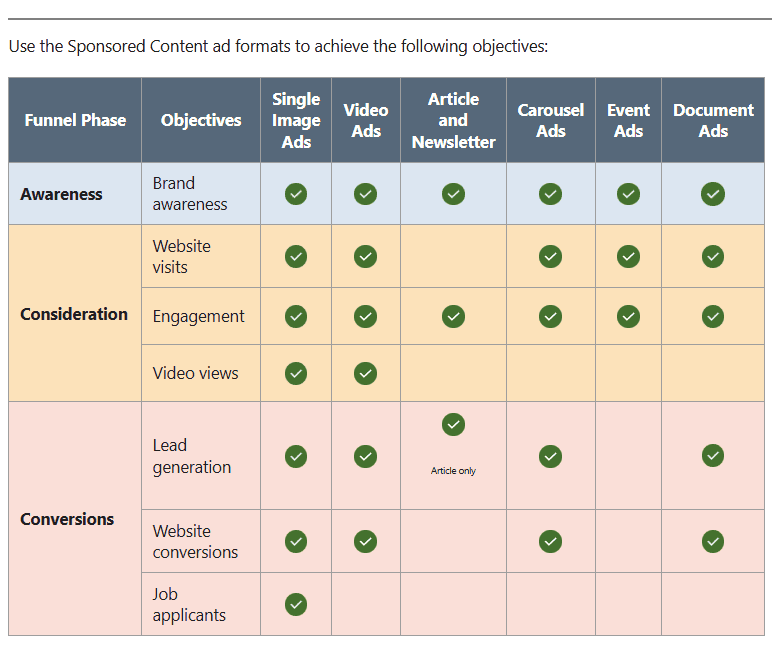
The campaign objective you choose determines which ad formats are available for your campaign.
In other words, Linkedin only shows you the ad formats that are best suited to help you achieve your selected objective.
Other factors that influence your ad format
Although the marketing objective is the most important factor, you should consider:
Available content – Do you have text, images, videos, or documents?
Call to Action (CTA) – What action do you want people to take?
Creative resources – Do you have the people, skills, and tools needed to create the ad?
Time – How much time do you have to create and launch the campaign?
Location – Where is your target audience located?
Budget – How much can you spend on the campaign?
Audience Actions
Take advantage of features like Calls to Action buttons (CTA) and Lead Generation Forms to move members further along the marketing funnel and create leads.
Calls to Action (CTA)
Depending on the ad format, you have a variety of CTA buttons to choose from. Below is the reference list:
- Apply
- Download
- View quote
- Learn more
- Sign up
- Subscribe
- Register
- Join
- Attend
- Request demo
- Buy now
- Show now
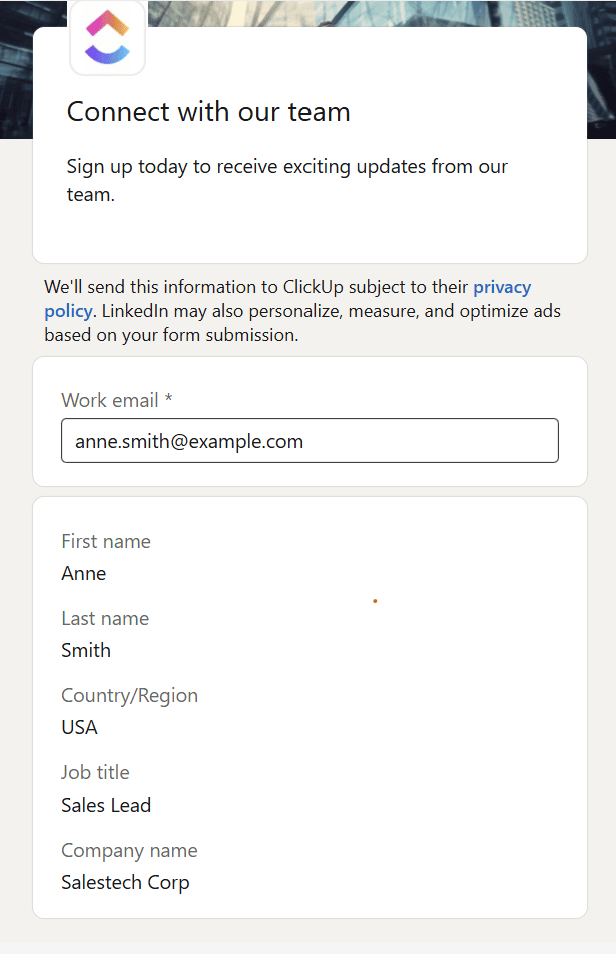
Lead generation
When you select the Lead Generation objective, members who click on your ad will be directed to a Lead Generation form that’s pre-filled with their Linkedin profile data.
In addition to pre-filled form fields, you can add up to 3 custom questions to your form.
You have the option to create a Lead Gen form in advance as a campaign asset to use as needed.
Lead Gen Forms are available for use with the following ad formats:
- Single Image
- Carousel
- Video
- Document
- Message
- Conversation
- Article and newsletter (article only)
Question 1: Which of the following allows you to use a Lead Gen Form?
A specific objectiveA specific ad formatA specific ad format category
Important Link: Lead Gen Forms resource page.
Sponsored Content Overview
These ads are displayed across desktop, tablet and mobile devices.
Way to use Sponsored Content
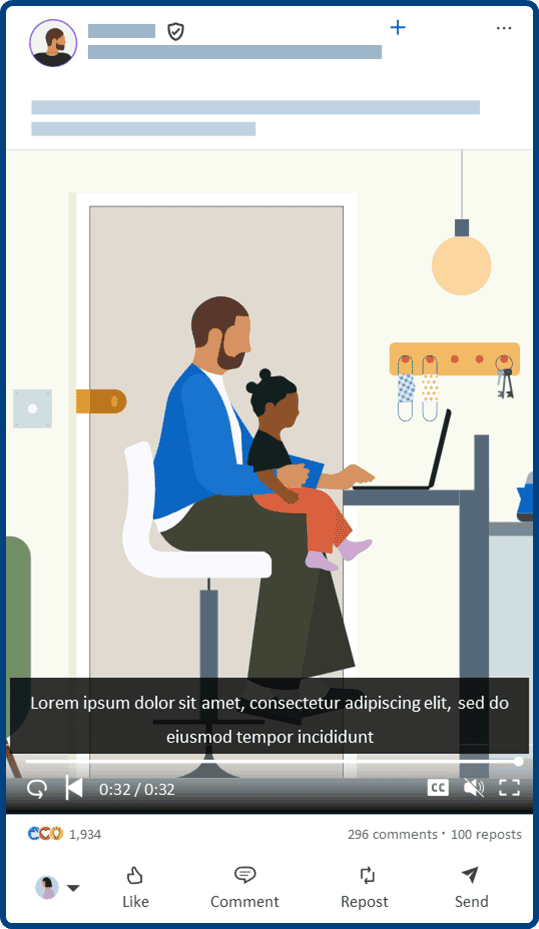
Capture attention in the feed : Engage your target audience in the Linkedin feed, where millions of professionals spend their time.
Accomplish all objectives: Use Sponsored Content ads in every level of the marketing funnel.
Gain insight on your impact: Measure your native ads performance and learn about the demographics of your target audience.
Sponsored Content ad formats
There are six types of Sponsored Content ad formats.
- Single Image Ads : Include one engaging visual.
- Video Ad includes interactive media together with sight, sound, and motion.
- Article and Newsletter Ads : Sponsor standalone or newsletter articles posted organically to your Company Page or by a Linkedin member.
- Thought Leader Ads : Use any of these 3 ad formats to sponsor your thought leaders’ posts for awareness and consideration. These “Thought Leader Ads” help you authentically communicate through a trusted voice to build brand equity and stay top-of-mind when your target audience is ready to buy.
- Carousel Ad includes multiple images to tell a story through a series of swipeable cards. These ads can include a different URL for each card.
- An Event Ad promots Linkedin Events from your Page. These ads are optimized to highlight important event details.
- A Document Ad includes a document such as an eBook, case study, or slides that members can easily read and wonload directly in the feed.
Question : Jonea, a freelance photographer, wants to promote her studio on Linkedin. She decides to showcase her most popular photographs through a swiepable series of pictures. Recommend a Sponsored content ad format for her brand awareness campaign.
Single Image Ad
Video Ad
Carousel Ad
Event Ad
Feature Unique Perspectives with Thought Leader Ads
Monisha wants to diversify the content she posts as part of her always-on marketing plan. but she doesn’t have time to create more content.
She knows that her company’s executive often posts about the industry, and she’s seen a few co-workers comment frequently about the company on Linkedin.
She decides to run an engagement campaign featuring insightful articles posted organically by influencers and champions within the company.
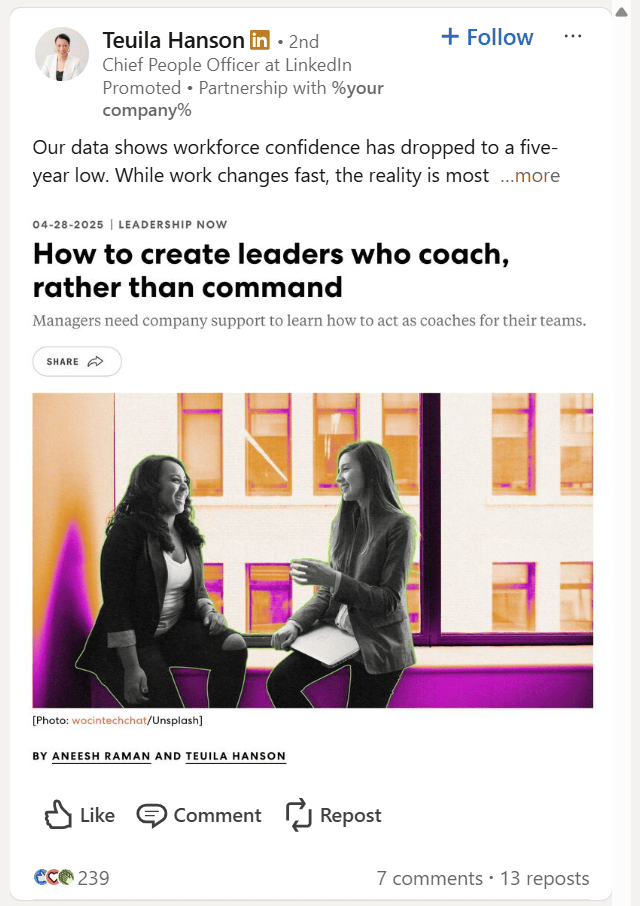
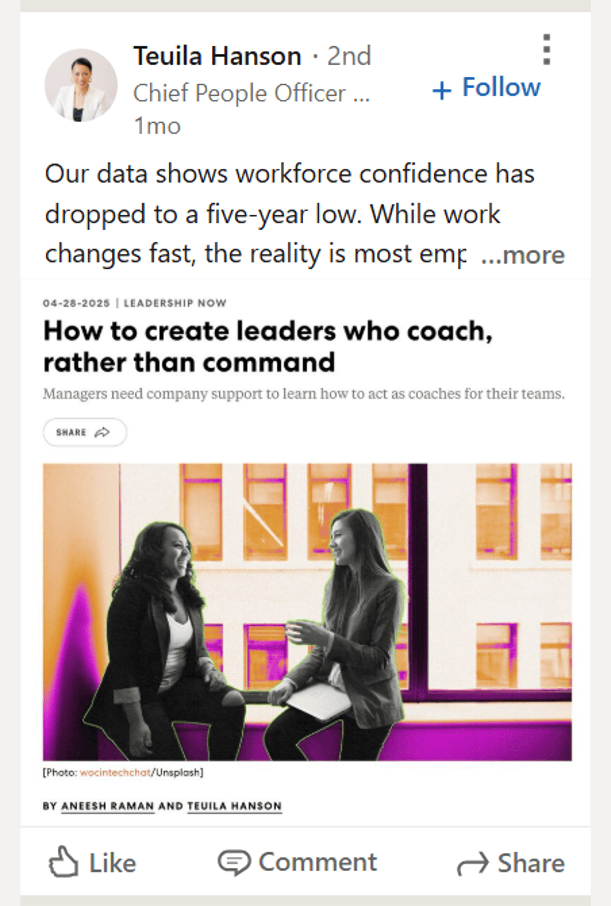
Use exiting content using Single image, Video and Article and Newsletter ad formats to promote thought leadership from Linkedin members or a company employee.
You can share posts with either long-form or short-form content.
By featuring authentic member perspectives, Thought Leader Ads help marketing content stay engaging and relevant for increased reach.
Thought Leader Ads support the objectives of brand awareness and engagement.
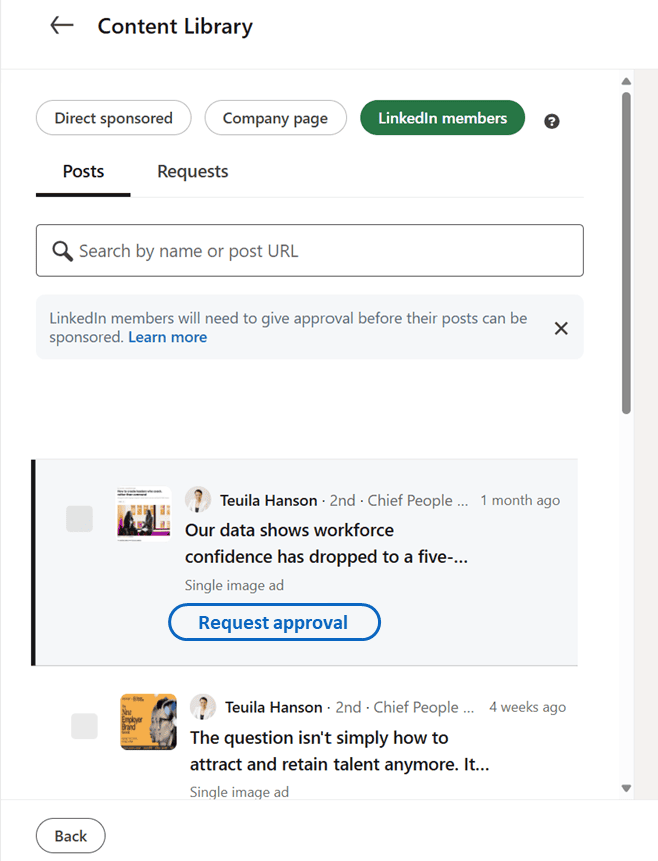
Advertiser’s dashboard view
Tip : To promote a member post, first send a sponsor permission request by selecting Request Approval.
Desktop feed view
Mobile feed view
Important Link: Using Linkedin for Brand Awareness for insights on how to make thought leadership ads the most compelling.
Question 1: Abdullah is creating a campaign highlighting thought leadership posted organically by several superstars at his organization, which of the following ad formats are available to him for this purpose?
Single Image Ads
Video AdsCarousel Ads
Article and Newsletter AdsDocument Ads
Single Image Ads
Monisha is looking to create an ad that specifically targets potential customers in the professional services industry.
She creates a topical single image ad that includes a high-quality, relevant image along with a quote from a satisfied customer that links to her company’s home page.
Single Image Ads are served directly in the homepage feed on Linkedin.
They can support all objectives for full-funnel marketing.
3 Helpful Tips
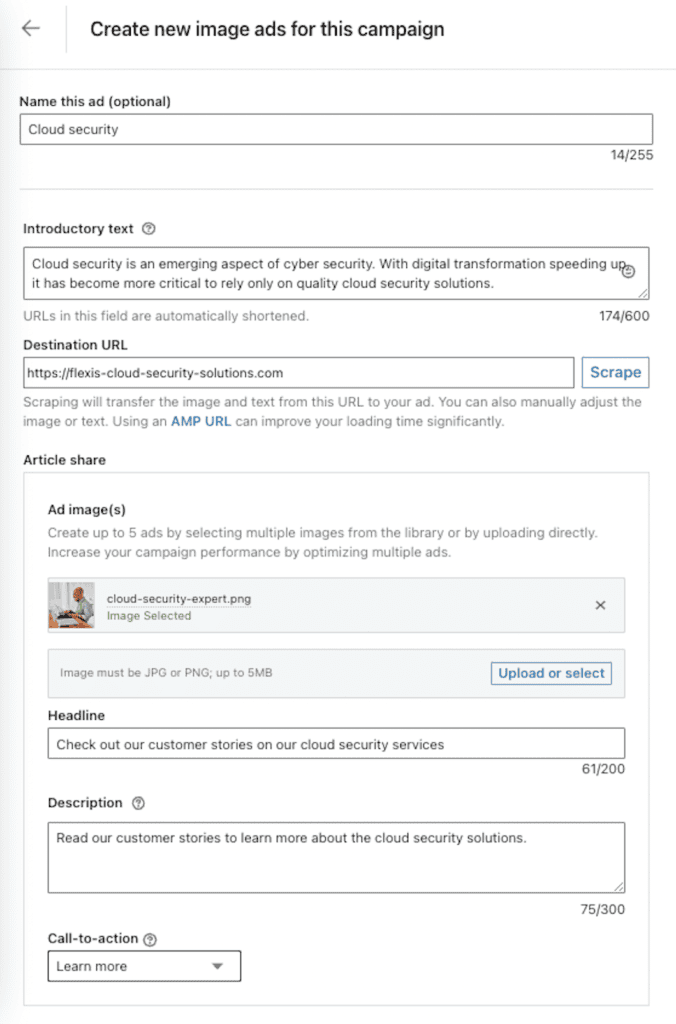
Create an attention grabbing headline and use less than 150 characters to avoid trunction.
You can use up to 4 emojis in your introductory text.
Create 5 or more ads by selecting multiple images from the library or by uploading them directly.
Advertiser’s dashboard view
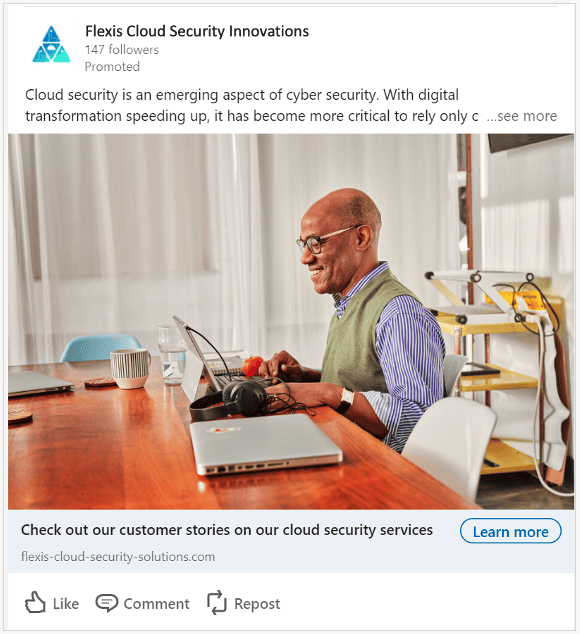
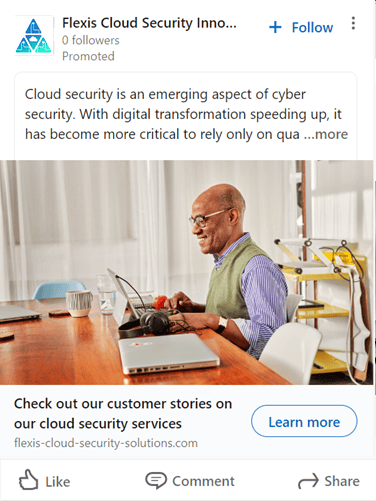
Drive higher engagement with your single image ads
When creating single image ads, the Linkedin media library automatically selected the top five recommended images based on their predicted relevance and performance.
Use these recommendations to optimize for the best exposure.
The impact of aspect ratio
Your single image ads will be served across a variety of devices with different aspect ratios.
Landscape ads are optimized for wider desktop screens while vertical ads display best on mobile.
Square formats work well for all devices.


Consider your audience’s behavior and when and where you want to reach them.
They may be on their laptop during work hours, but later in the day, they could be scrolling Linkedin on a tablet or mobile device.
With this in mind, consider creating both a vertical and a horizontal creative. That way, the algorithm can decide and optimize for each device so that your advertising has full coverage.
Once your campaign starts serving, you can use the Campaign Manager filter “Breakdown Impression Device Type” to see where your campaigns are delivering, and if there is a significant difference in your target metrics between desktop and mobile.
This data can help you experiment and optimize with different aspect ratios to see what performs best for your audience.
Question 1 of 1: Monisha is designing a single image ad creative and is sorting through the recommended options in her media library.She knows from her previous campaign reporting that her audience members primarily engage with her ads from desktop devices. Which of the following would you recommend she prioritize?
Vertical Image
Square Image
Horizontal Image
Customer Story : Building a high-value pipeline with Linkedin
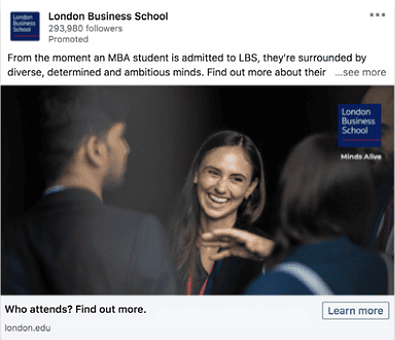
Single Image Ad. Customer – London Business School.
London Business School, employed a multi-ad format campaign to increase brand awareness, strengthen Share of Voice (SOV) and increase leads for its Masters in Financial Analysis program.
Sponsored Content was used as a key ad format to build awareness and helped increase ad exposure frequency by 10x.
Video Ads
Video Ads give the ability to use rich media to convey message and offer ads more engagement and reach.
In fact, a video is 5x more likely to start a conversation than any other format.
Reach professional audiences on a variety of screens
Across the digital landscape, audience enthusiasm for video marketing content continues to grow.
The majority of Linkedin’s professional members consume video content on a variety of platforms.
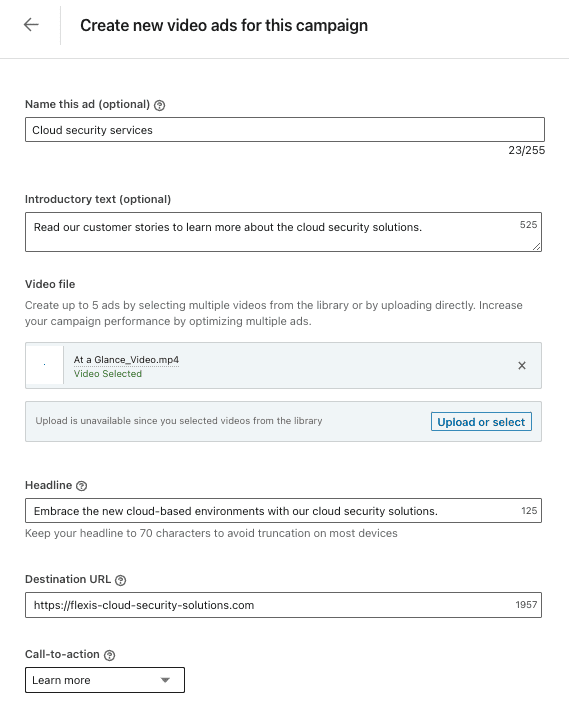
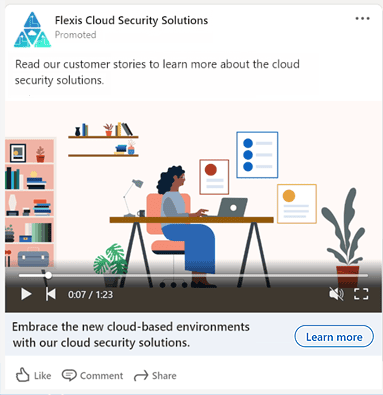
This is what you and your target audience will see for a basic in-feed video ad.
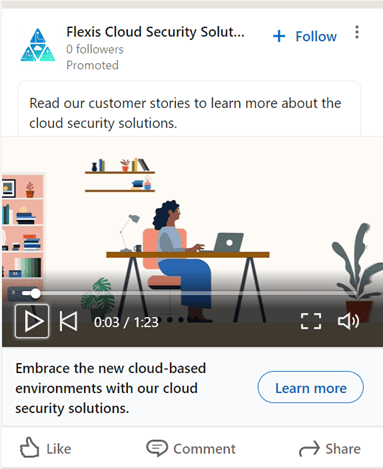
2 of the ways you can reach a wider audience than on the feed is by placing videos on trusted 3rd-party apps and sites with the Linkedin Audience Network (LAN) or on-home television screens with B2B connected TV ads.
These placements are particularly effective as in-stream videos since they are presented at the beginning, middle, or end of a long-form video that the individual has chosen to watch.
Tips for boosting video engagement.
- Include a demo and an offer – Show, don’t tell. Also include a tangible offer like “First Month Free”.
- Animated videos and motion graphics are effective. Use tools like Biteable.
- Make sure to add captions.
- Keep your ad short and clear CTA.
Set your foundation with 5 creative best practices
- Keep it short and sweet: Shorter, simpler videos drive recall.
- Commit to distinctive branding: Have your logo and branding elements present immediately and throughout the video duration.
- Ensure strong messaging: Make “what’s in it for me” obvious and use text overlays to reinforce.
- Use attention-grabbing visuals: Eye-catching imagery is the key to gaining attention.
- Incorporate humanity and emotion: Drive emotional connection with your audience to increase memorability
Customer story
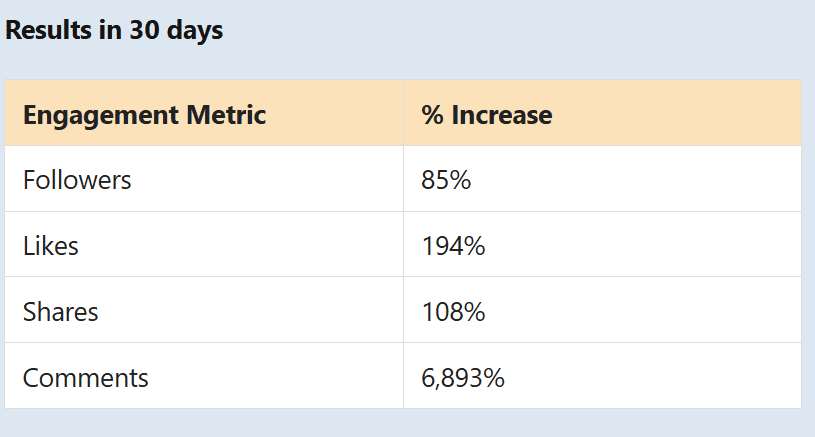
Gong.io increased its Linkedin Page following with a 3-pronged approach.
As the #1 conversation intelligence platform for B2B sales teams, Gong found Linkedin to be the social channel where potential buyers and customers were the most active.
The marketing team sought to level up the organic impact of its Linkedin Page with the video ad format at the center of their Page growth strategy.,
Gong started posting focused content built on 3 main principles:
- Keep the video content short and casual (while maintaining high production quality)
- Ensure that every post adds value for the audience.
- Integrate contests and giveaways.
With this formula in place. Gong saw an immediate spike in engagement.
Thie first video in the new series drove more than 17.000 views and 250 comments.
Over the next month, the company saw engagement on its Linkedin Page grow at an extraordinary pace.
Article and Newsletter Ads
Cultivate more readers and subscribers for native, long-form content
Linkedin is the only social platform where advertisers and members alike can publish long-form articles from their page or profile.
Use Article and Newsletter Ads to extend the reach and staying power of content that generates community conversations.
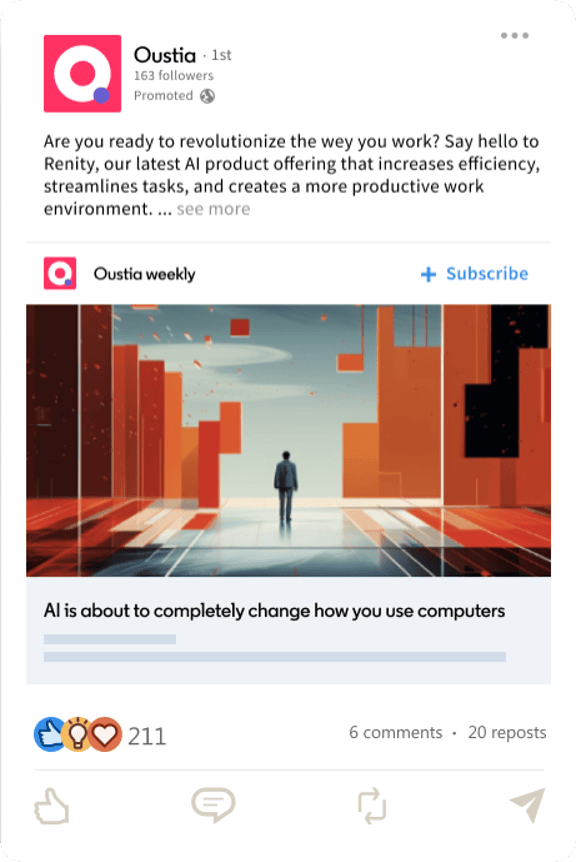
You can sponsor either a Linkedin Article or Newsletter Article posted organically by your brand’s Linkedin page or thought leader, upon their approval.
3 Benefits of Article and Newsletter Ads
- Convert prospective customers to engaged readers and subscribers. Distribute your natively published content at scale to professional audiences on and off Linkedin.
- Distinguish brand through compelling thought leadership. Promote articles and newsletters crteated by your brand or thought leaders to establish your industry authority.
- Turn long-form content into lead generation engine. Gate Article ads* with a Lead Gen Form to capture high-quality leads. The lead generation objective is not yet available for Newsletter Ads.
Article Ad or Newsletter Ad: What’s the difference?
Article Ad
- Individual, standalone, long-form content on various topics.
- Support the objectives of brand awareness, engagement and lead generation.
- Article ads under the lead generation objective will have a default “Unlock article” call-to-action button that opens a lead gen form.
Newsletter Ad
- Part of recurring, serialized newsletters on Linkedin that members can subscribe to.
- Support the objectives of brand awareness and engagement.
- Newsletter Ads will have a “+Subscribe” button for members who wish to subscribe to the newsletter from the ad.
Idea: Use a visually-engaging Article or Newsletter Article image, as it will appear as the image for your ad.
Carousel Ads
It supports all levels of full-funnel marketing.
Maximize creative space
Showcase up to 10 images in a single ad to highlight different services, products, and offerings, or build a visual story about the brand that develops with each swipe.
3 Helpful Tips
- Feature graphics, people and dynamic text to draw your audience in.
- Leverage existing content by packaging together content with a similar theme, or deconstruct a large piece of content into carousel cards.
- Try slotting the carousel cards in different orders, and optimize based on performance.
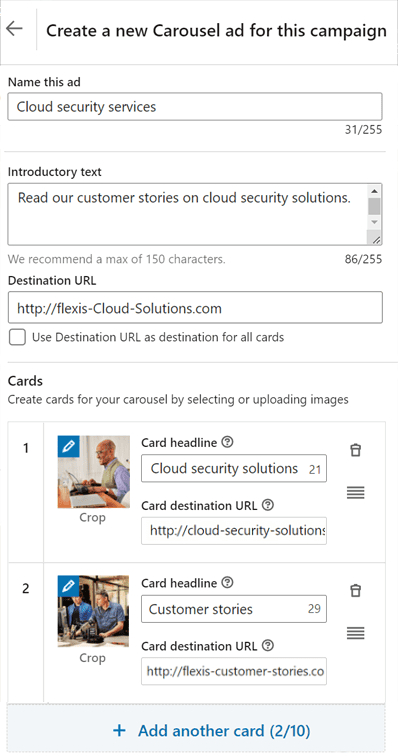
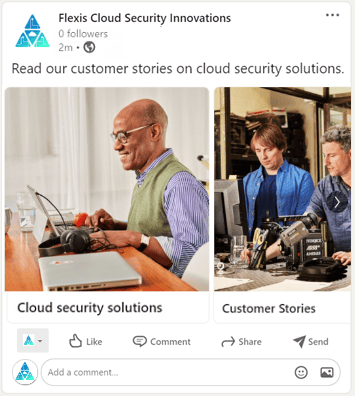
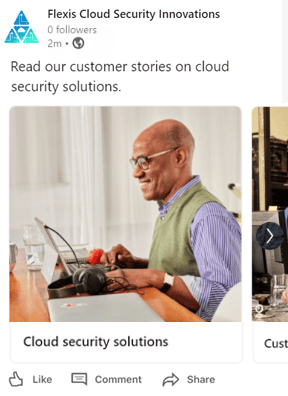
Idea: Place the main value ad or CTA in the final card to encourage the audience to swipe through the whole carousel.
To add a CTA, you will need to use in conjunction with a lead gen form.
Experimenting with Carousel Ads
- Carousel Ad
- Customer : Cotton Incorporated
- Cotton Incorporated, a not-for-profit organization, works to increase the demand for cotton.
- Their main campaign goal was to build brand awareness among decision makers across multiple industries.
- Experimenting with Carousel Ads led to an increase in average click-through rate (CTR) and more than 200+ clicks per ad.
- Customer : Cotton Incorporated
Event Ads
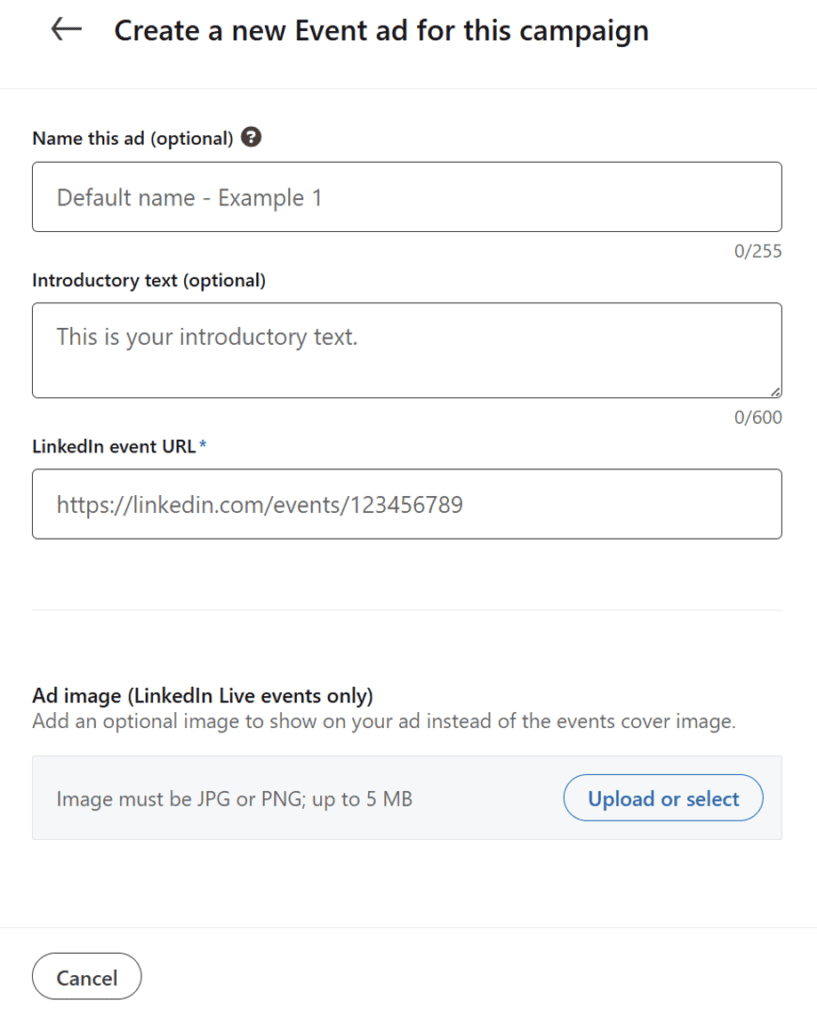
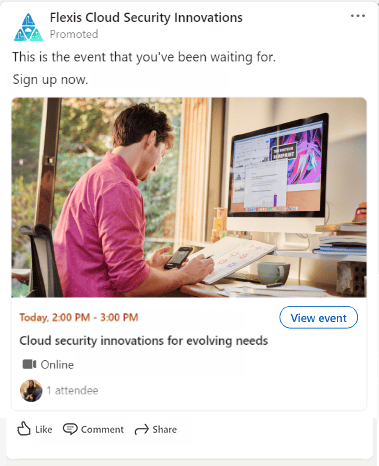
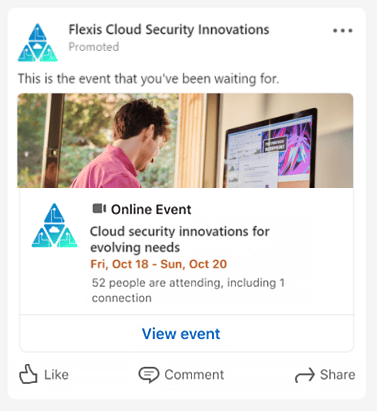
End-to-End Event Promotion, Before Event : Promote, During Event: Engage, After Event (Momentum), Advertiser’s Dashboard view, Desktop Ad view, Mobile Ad view, Event Ads Success Stories – Snaplogic and Salesforce.
End-to-End Event Promotion
Event Ads allow you to promote events on Linkedin throughout the entire event lifecycle to maximize registrations, boost views and drive engagement.
Your targeted audience will see a different ad experience before, during, and after the event.
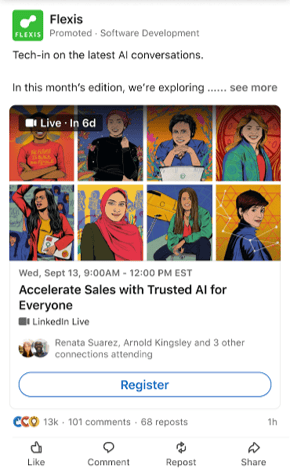
Before the event: Promote
Drive event discovery and single-click registrations with your target audience.
During the event: Engage
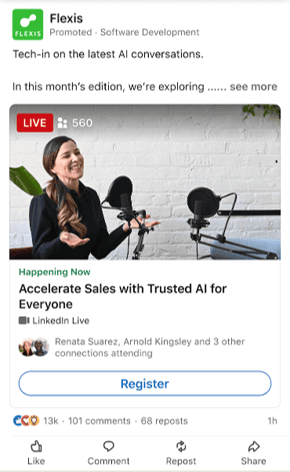
Deliver your live stream to your audience’s feed in real time.
Accelerated delivery gives the option to maximize reach and views by delivering the campaign budget as quickly as possible.
After the event : Momentum
Promote the video replay of your event to further increase engagement and build retargeting audiences to drive full-funnel results.
Idea: Turn on accelerated delivery to maximize reach and views during the event. If your primary goal is to drive total event views, regardless of whether they happen during or after the live event, standard delivery is the best option for your campaign.
Advertiser’s dashboard view
Desktop Feed view
Mobile Feed View
Question Xavier is promoting an upcoming live event educating audience members on exciting new product enhancements. He takes advantage of Accelerated delivery for which phase of the event?
Before the event
During the event
After the event
Success Stories with Event Ads
SnapLogic
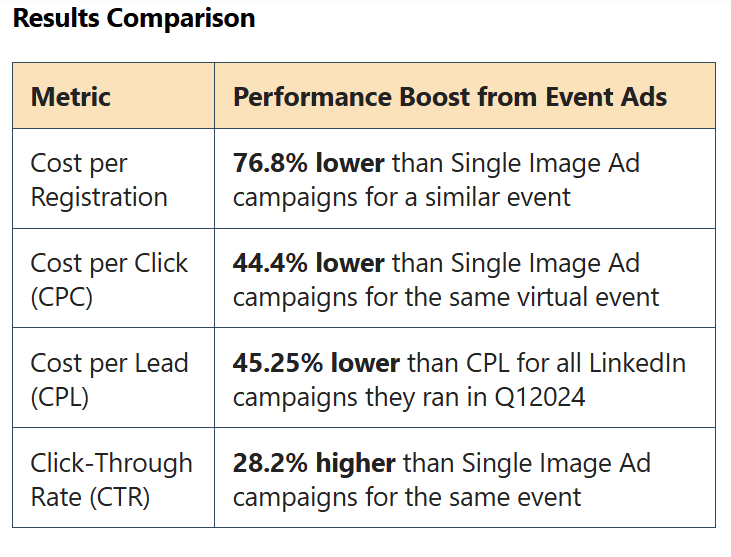
Event ads drive stronger performance over Single Image Ads
In Previous activations to promote events on LInkedin, SnapLogic did not have much success with conventional Single Image Ads.
SnapLogic’s agency, VertoDigital, in collaboration with Linkedin recommended a test of Linkedin Event Ads to promote their Global Virtual Summit.
Leveraging Event Ads solutions resulted in a very successful number of leads and significantly lower Cost per Registration for SnapLogic.
Customer 2 : Salesforce
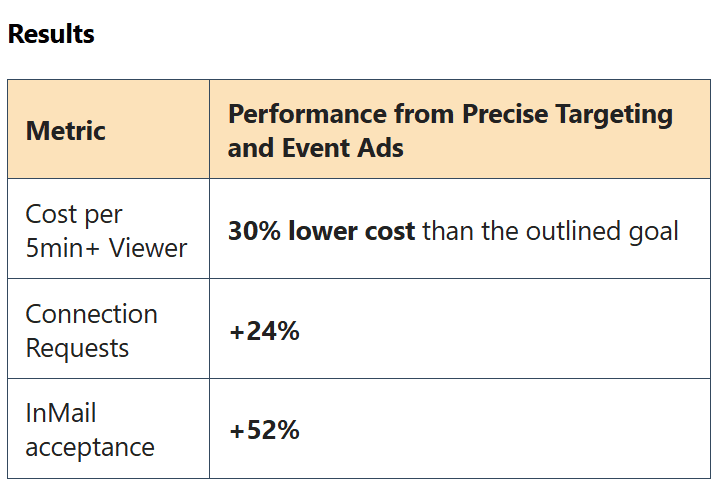
Salesforce expands reach and increases pipeline for Dreamforce with Linkedin’s precise targeting and new Event Ad Features.
In planning their annual tech conference “Dreamforce“, Salesforce sought ways to maximize views while reaching a qualified audience to grow pipeline.
Salesforce first leveraged Linkedin’s strong 1st party data and segmentation capabilities to target Business Decision Makers and relevant audiences.
The team then employed the Event Ad format for pre-, during-, and post event support, coupled with Thought Leader Ads.
The campaign delivered significantly positive results,.
Salesforce expressed interest in iterating on the Dreamforce activation – a combination of Event Ads, Accelerated Delivery, Thought Leader Ads and the new event view retargeting – for all events moving forward!.
Document Ads
Monisha’s company recently published a report that contains a unique perspective on how AI will shape the industry over the next 5 years.
She sets up a Document Ad dthat allows free access to the executive summary and offers the full report upon entering an email address.
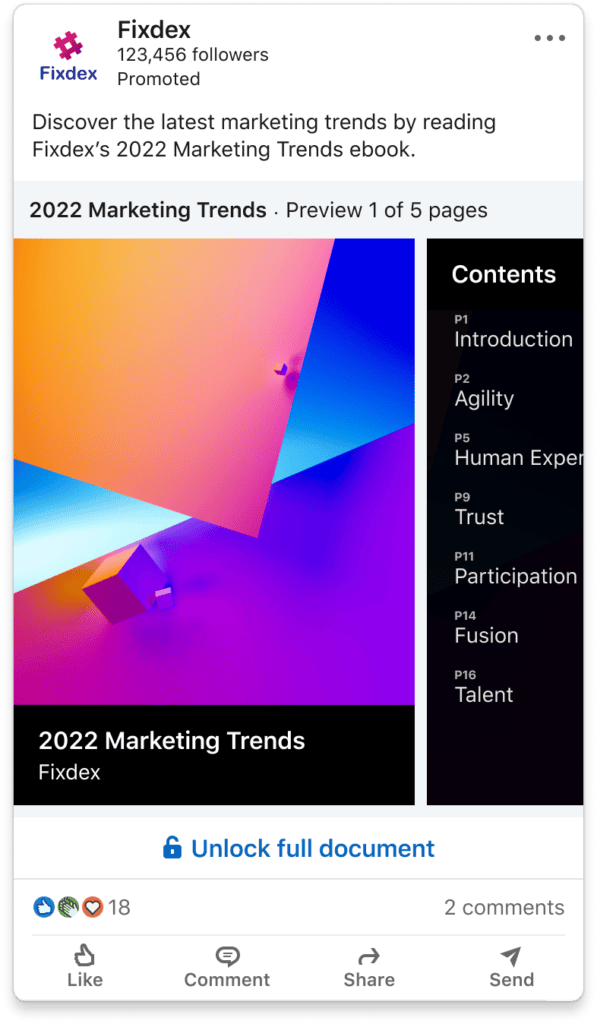
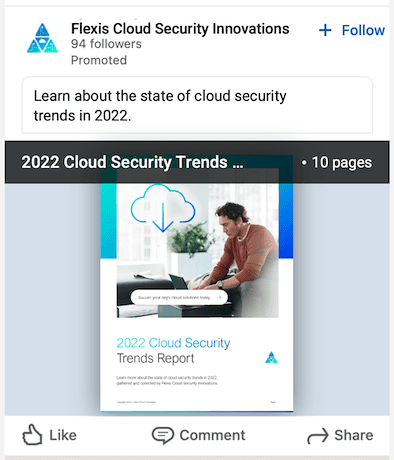
Document Ads allow advertisers to promote both gated and ungated documents directly in the Linkedin feed.
Members can easily read and download content from a Document Ad without having to leave the platform.
Examples of documents include e-books, case studies, white papers, infographics and presentations.
All documents will download as a PDF regardless of the original format.
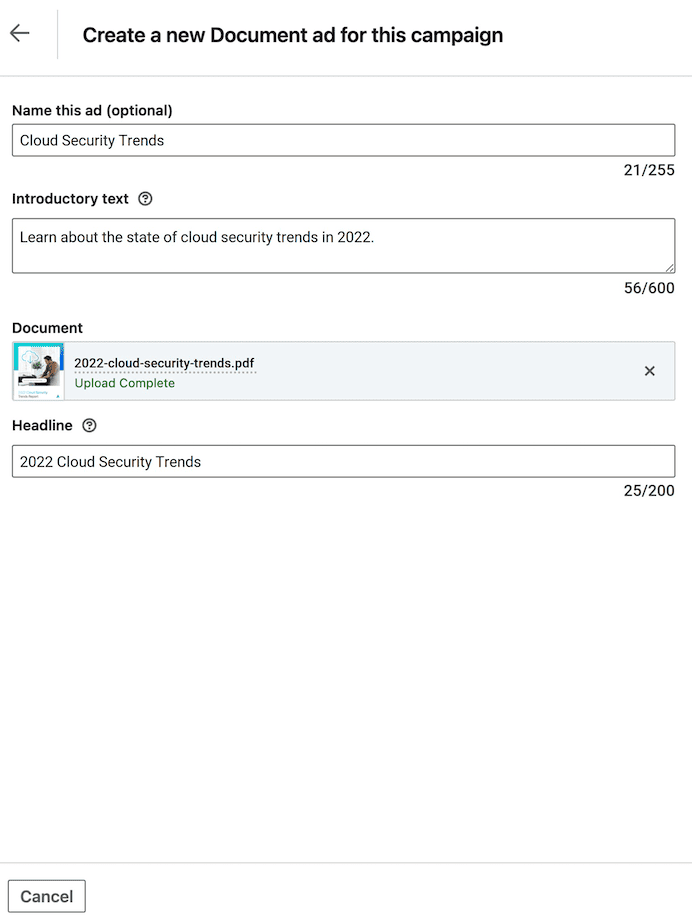
Desktop feed view
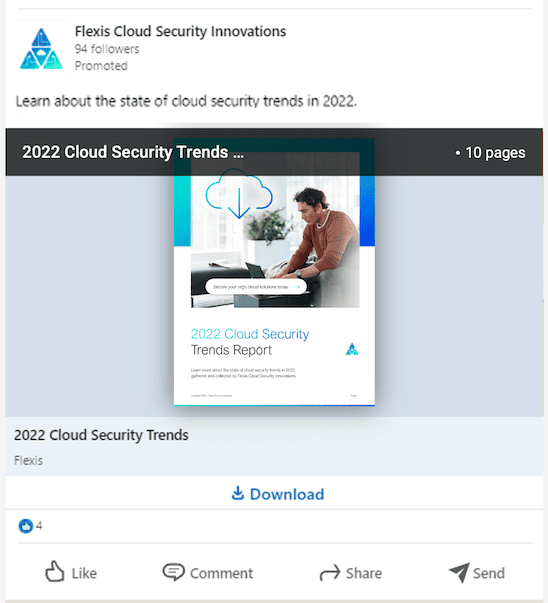
Mobile feed view
Document Creation Best Practices
- Create an attention-grabbing cover page : The first page of your document is the cover. It is the first page members see in their feed, so make sure it is visually appealing.
- Optimizing the document for mobile. Make sure document is mobile-optimized and easy to read. Avoid using multiple columns of text and small font sizes. Best practice : Embed fonts in the PDF itself and use at least 8 point font.
- Keep the file size under 100 MB. Keep the file as small as possible for optimal download experience for members.
- Avoid using CTAs (including URLs) in your document. Links and CTAs are not active in a document when members read it within the Linkedin feed. if the member downloads the document, links and CTAs will become clickable.
Important Link: Document Ads Best Practices
Question: What is the recommended number of free preview pages when setting up gated content with a Document Ad?
One
Two
Three
Sponsored Messaging Overview
Reach audience in a personal way.
Sponsored messaging ad formats.
Reach audience in a personal way
- Sponsored messaging formats offer a more personal, relevant, and a direct way to reach audience.
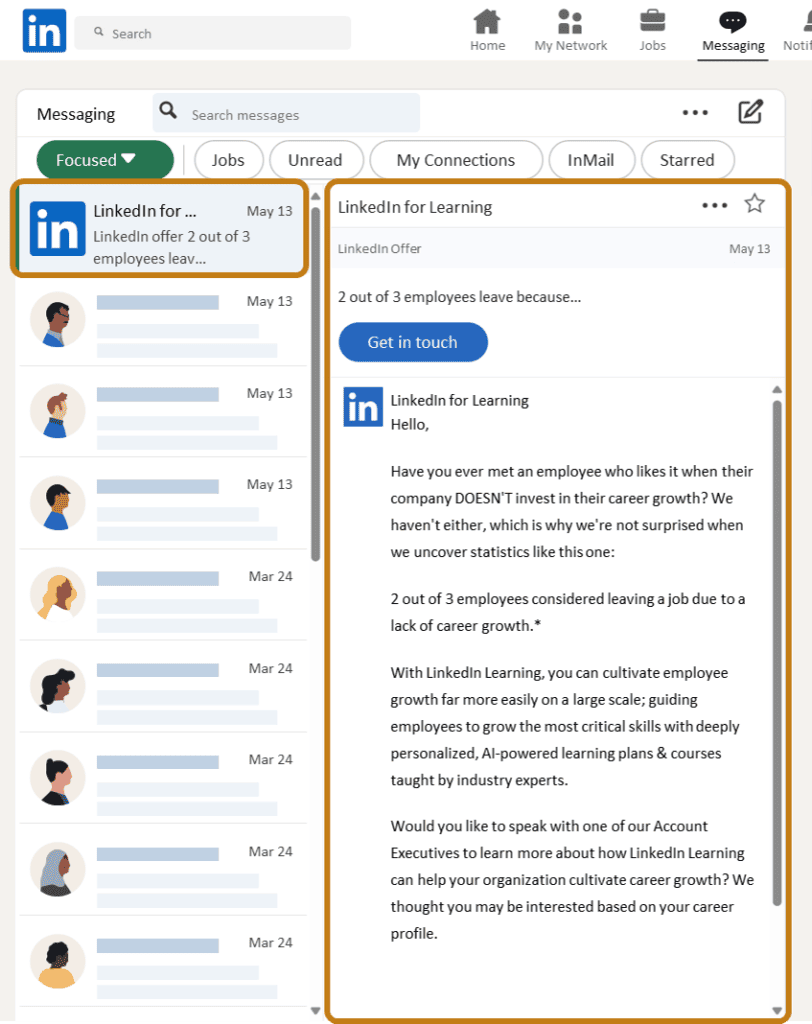
- Sponsored messages are personalized messages that are delivered directly to recipient’s Linkedin direct messages.
- Messages with a call to action, lead gen form, or a decision tree of automated actions help keep audience engaged and allow them to navigate easily through the offer.
- Sponsored messaging allows to send messages from different senders, or from the company page.
Sponsored Messaging Ad formats
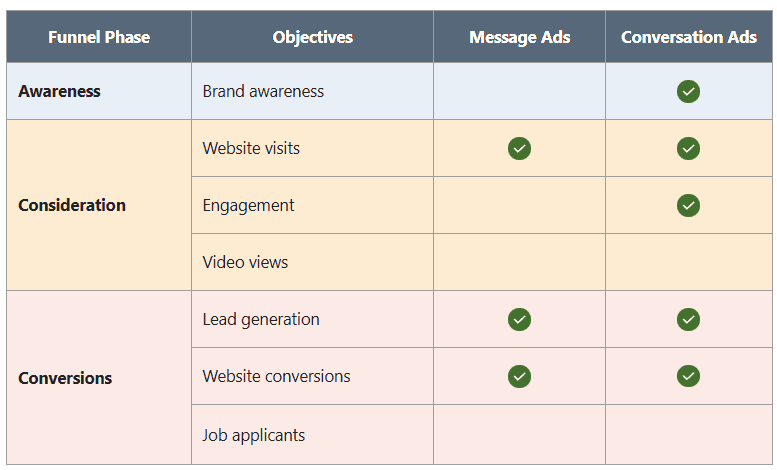
2 categories of Sponsored messaging ad formats are message ads and conversation ads.
- A Message ad delivers targeted message in Linkedin messaging, featuring one call to action (CTA) action.
- Conversation Ad delivers an interactive, choose your own path experience by offering multiple Call to Actions (CTAs) in a single conversation thread.
Idea: Run your campaigns for at least 2 weeks to ensure that they’re active when your audience is active, which varies by member.
Question: Conversation Ads and Message Ads apply to the same objectives
True
False
Message Ads
3 Helpful Tips, Advertiser’s Dashboard view, Desktop feed view, Mobile feed view, Customer story – Reaching out to potential students with Message Ads.
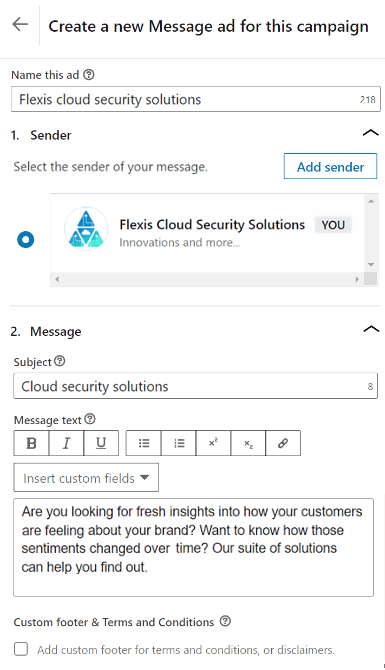
Using a Message Ad, you can invite members who have visited the company website to a product demo.
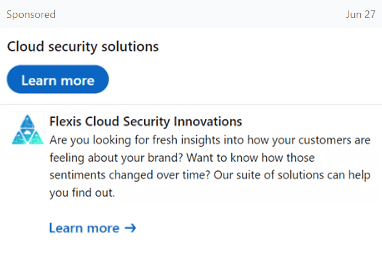
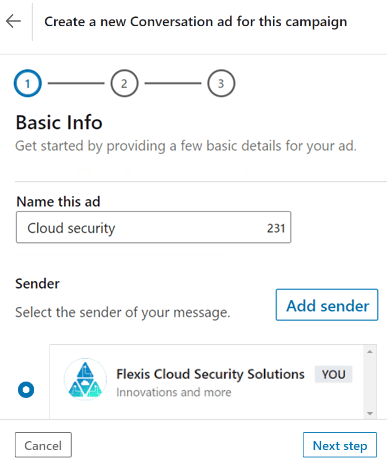
Message Ads appear to be sent from a company or a Linkedin member’s profile with the Sponsored label in Messaging.
In most cases, ads that appear to be sent from a member have shown stronger results than messages sent from a company.
When selecting a member, make sure that this person has a high-quality Linkedin profile photo that is visibile to the public.
Send variations of the ad from different senders to test effectiveness by the sender’s title (prestige), picture (welcoming), or name (recognition).
3 Helpful Tips
- Limit your message to under 500 chracters.
- Add a hyperlink to the body of your message to boost click performance.
- Banner creatives are not required for message ads or conversation ads, but if you don’t include one, ads from other advertisers might appear in that slot.
Advertiser’s dashboard view
Desktop feed view
Customer story
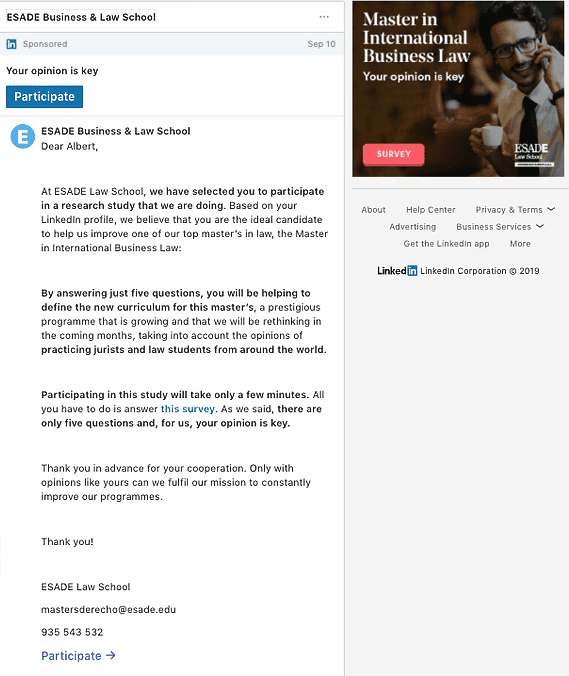
Reaching out to potential students with Message Ads
Message Ad
Customer: ESADE
Being a global academic institution, ESADE launched an outreach campaign to connect its new masters in international business law program to a pool of potential students.
The campaign was targeting a niche audience with relevant experience, field of study, age, and academic interests through Message Ads.
The ad campaign generated the open rates of over 75% and CTR of over 22%.
Conversation Ads
An advertiser plans to engage with regular customers who have been out of touch lately.
Positive engagement will lead to an increase in website conversions.
To spark the conversion, she is going to use a Conversation ad.
Conversation Ads differ from Message Ads in that they present multiple call-to-action buttons to encourage engagement rather than only one.
The prepopulated responses to a member’s selections are determined through a message decision tree that you create.
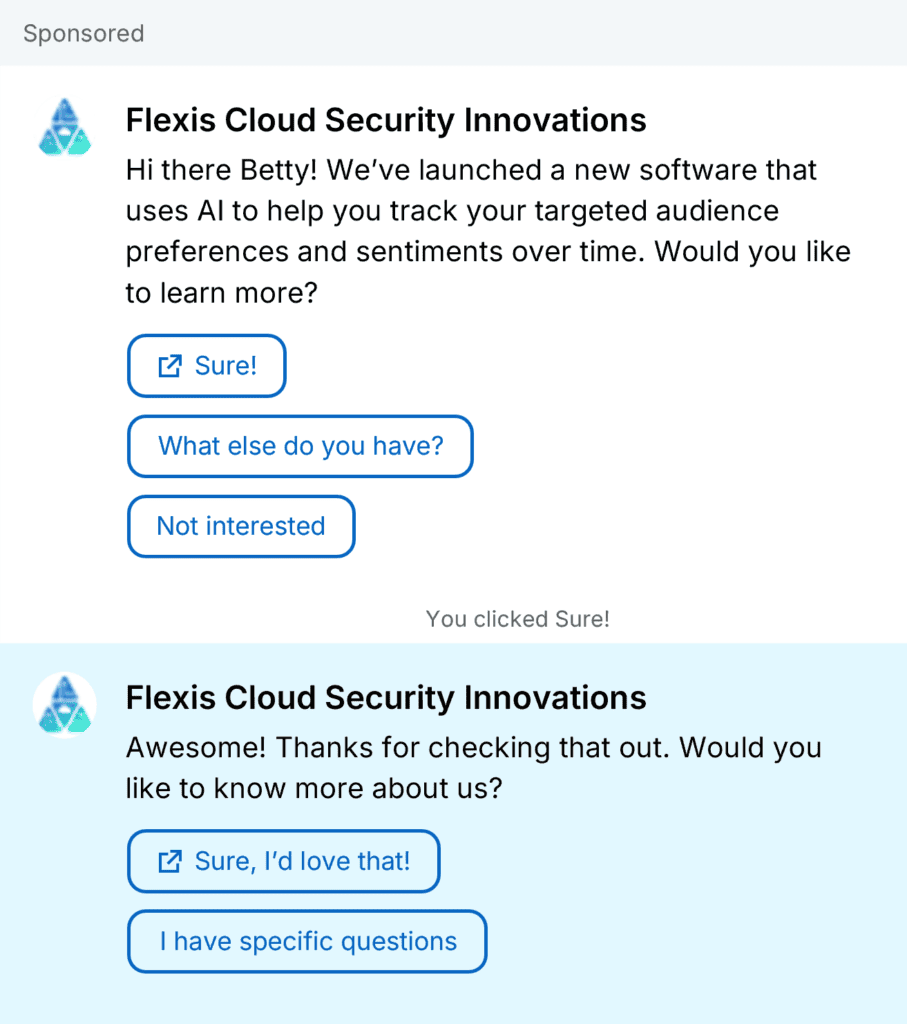
Tip: The Not Interested CTA button is required and automatically added to the intro message.
Customer Story
Personalized Conversation Ads lead to conversions.
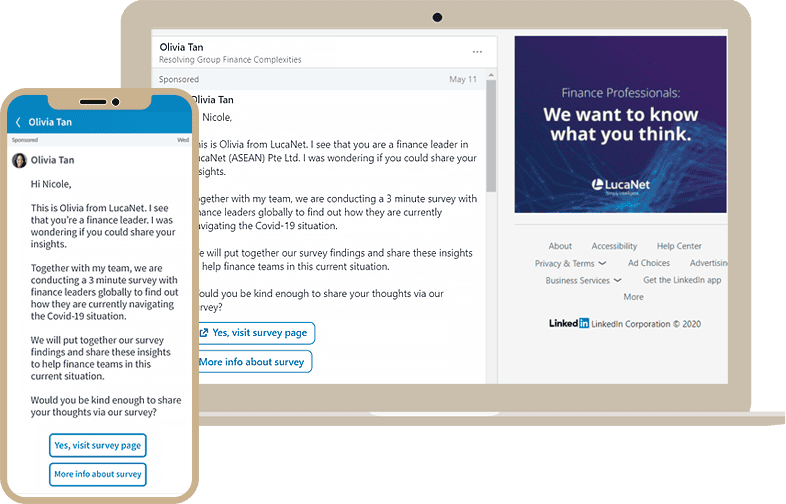
LucaNet ASEAN, a Singapore-headquartered Software Development company used personalized Conversation Ads to specifically target the right decision makers at the right companies for their campaign.
With this approach, LucaNet was able to achieve an 80% open rate and 53% conversion rate.
Conversation Ad
Customer : LucaNet
Dynamic and Text Ad Formats
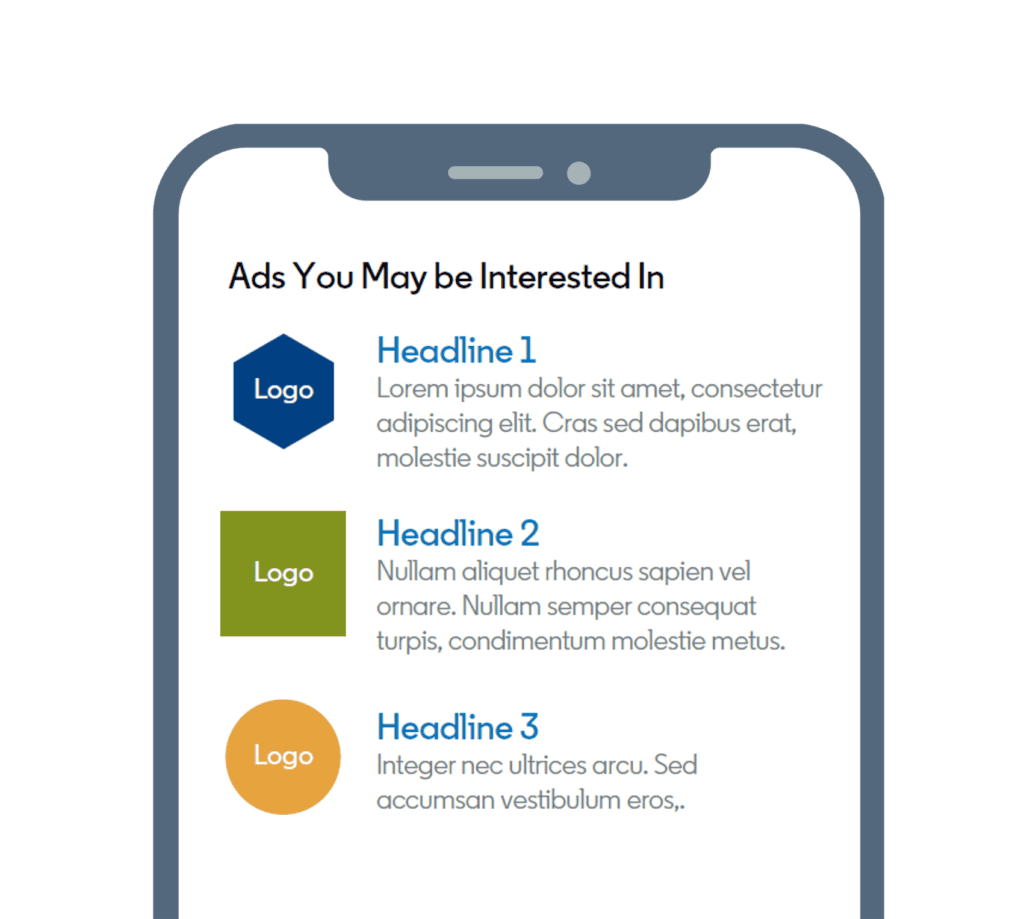
Dynamic and Text Ads appear in the right rail of the Linkedin feed in the desktop version only.
Dynamic Ads
Automatically personalize the experience for your audience.
Capture attention with ads featuring each professional’s own Linkedin profile data, like photo, company name, job title, and more.
3 categories of Dynamic ad formats
- Spotlight ad drives traffic towards product or service.
- Follower ad focuses on acquiring more Linkedin followers for your page.
- Jobs Ad promotes company’s active job openings to Linkedin’s top talent.
Text Ads
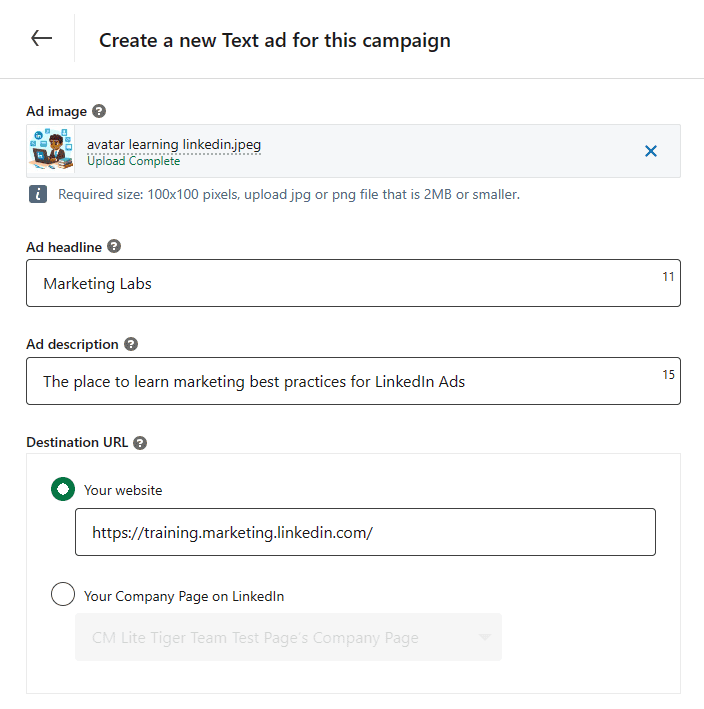
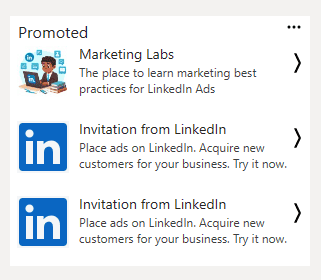
Text ads have headline, brief text and an (optional) image. They will be served on the right rail of a variet of Linkedin desktop pages.
Fine-tune target audience based on location, demographics, skills and more to achieve a right mix of volume and precision.
Question 1 : What do text ads and dynamic ads have in common?
Appear within Linkedin feeds
Appear in the Linkedin right rail.
Allow you to engage with your audience via Linkedin Messaging.
Question 2: Amelia has recently joined a talent management agency. As part of her first assignment, she needs to get more followers for her company’s linkedin page. Which of the following is the most suitable Dynamic ad for her assignment?
Spotlight ad
Follower Ad
Both Follower and Spotlight Ads
Both text and dynamic ads are shown on desktop only. You can use these ad formats for a variety of objectives.
Spotlight Ads
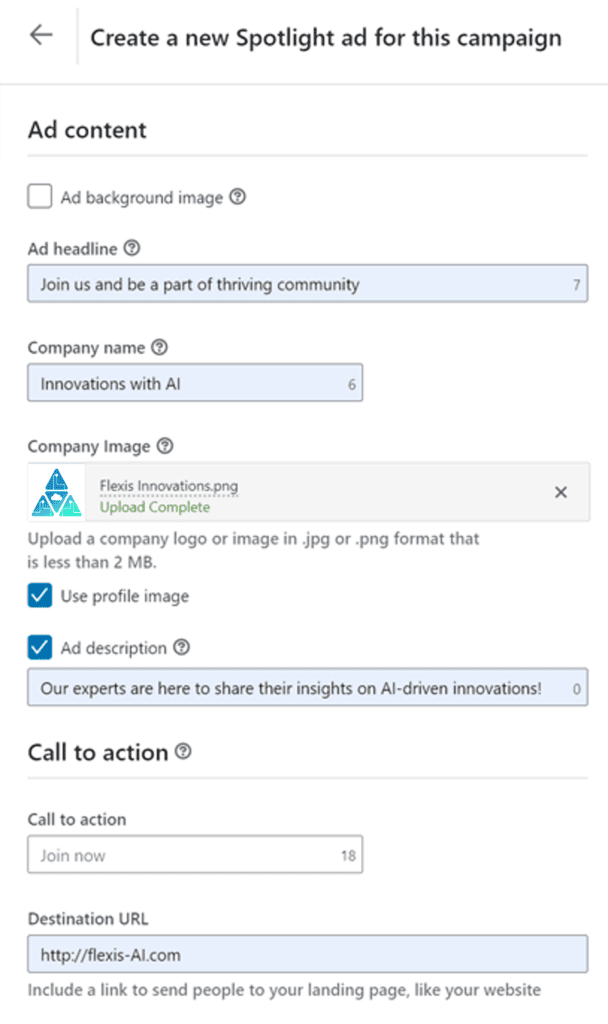
A Linkedin advertiser can promote blogpost of a company using spotlight ad to promote it to the right audience.
Spotlight Ads help boost conversion rates and direct more Linkedin members to the relevant website or Linkedin Landing Page.
Spotlight Ads are tailored to each member based on their profile information such as profile photo, company name, or job title.
Clicking anywhere on the ad (background, text, CTA etc) will redirect to the designated URL.
Idea: Use Linkedin’s Conversion Tracking tool to measure the lower funnel success of a Dynamic Ad.
Olena is catching up on her Linkedin feed when a Spotlight Ad featuring her profile pic catches her eye. Where is she directed when she clicks on the ad?
Linkedin messaging
A specific website
A job opportunity
Follower Ads
Follower Ads are a Dynamic ad format tailored to Linkedin members.
The ads encourage members to follow your Linkedin or Showcase Page on desktop.
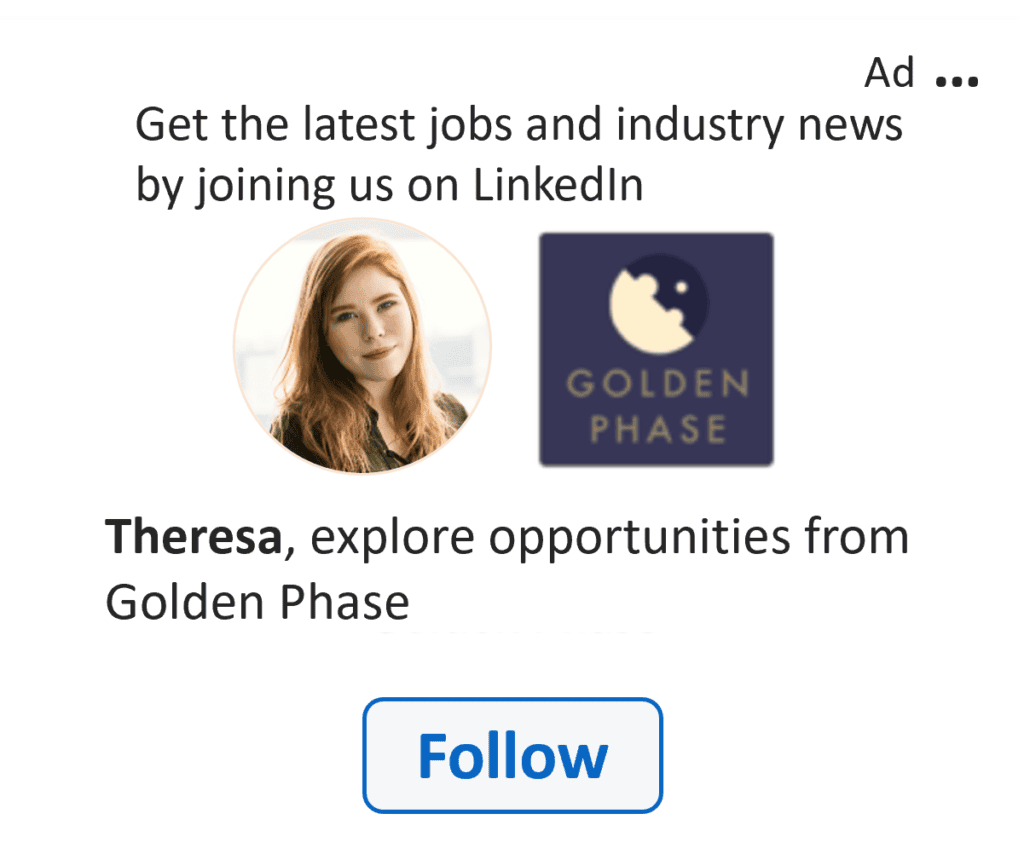
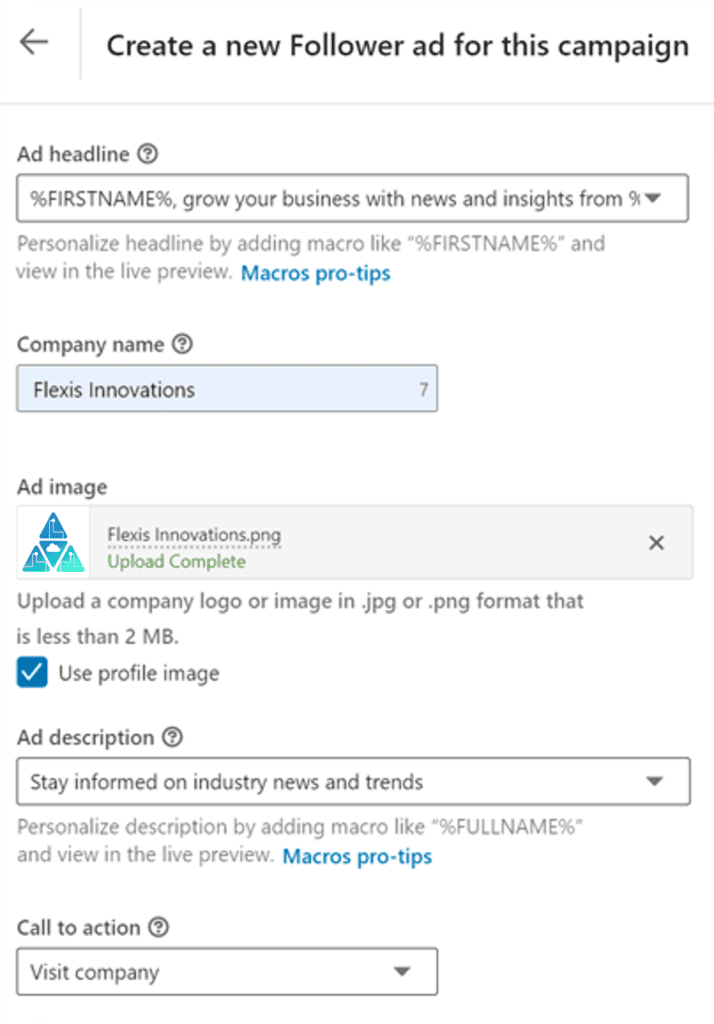
Follower Ads are personalized with the member’s profile photo next to your company’s logo, plus their first name and your company name in the ad copy.
Advertiser’s dashboard view
Desktop Feed View
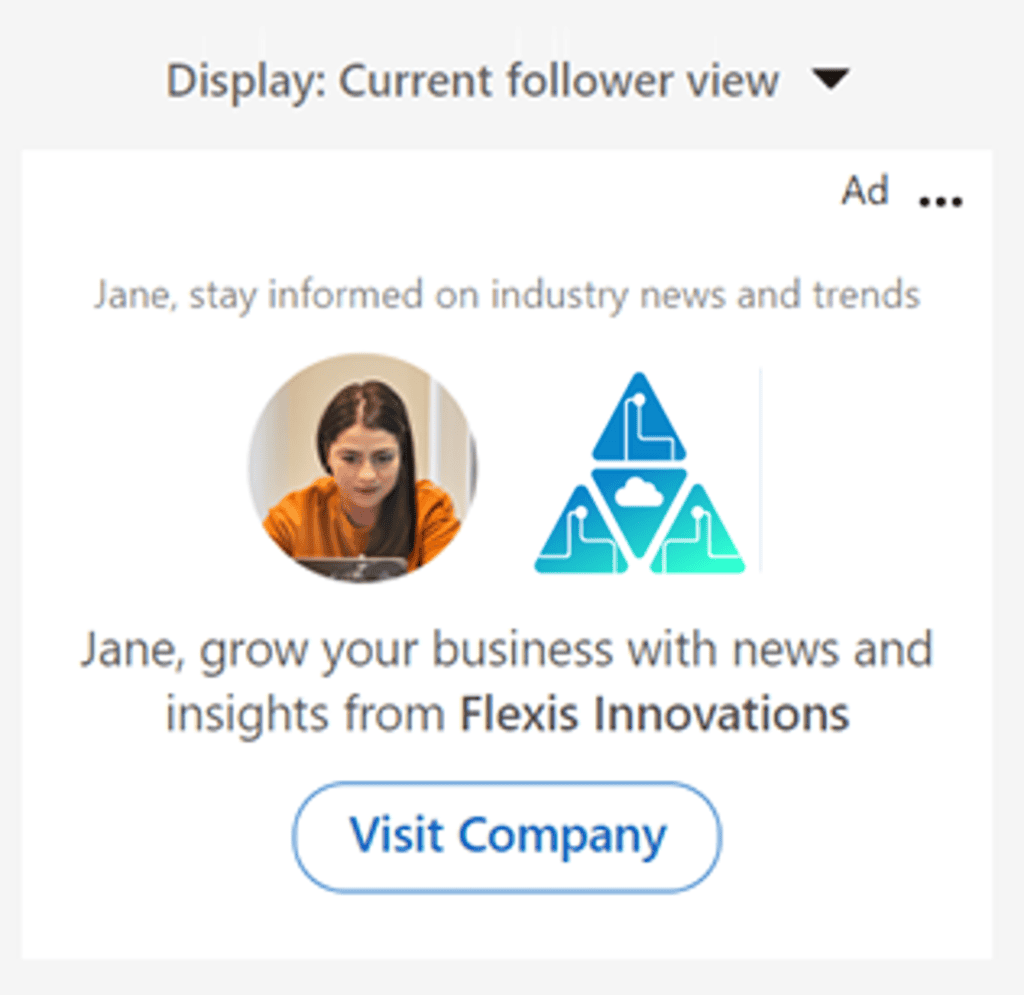
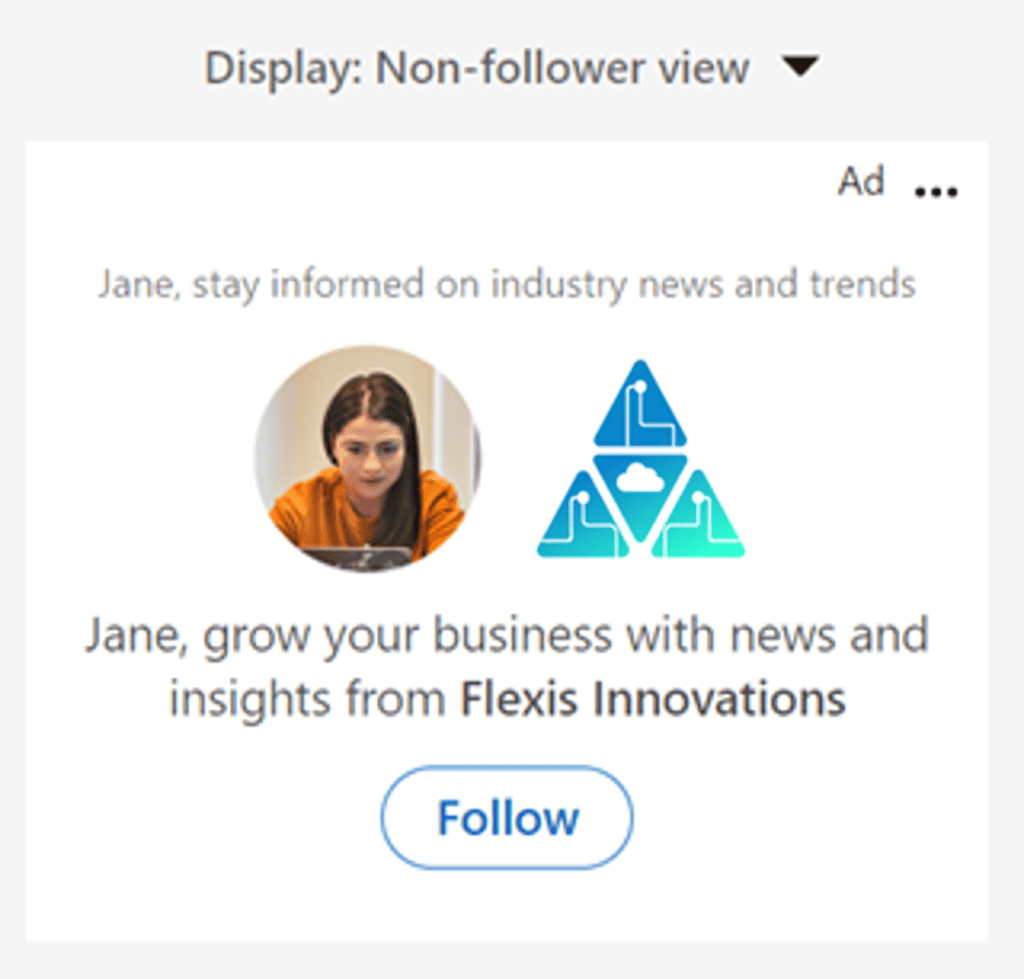
For your existing followers, select the Call to Action (CTA) button that you want them to see on the ad.
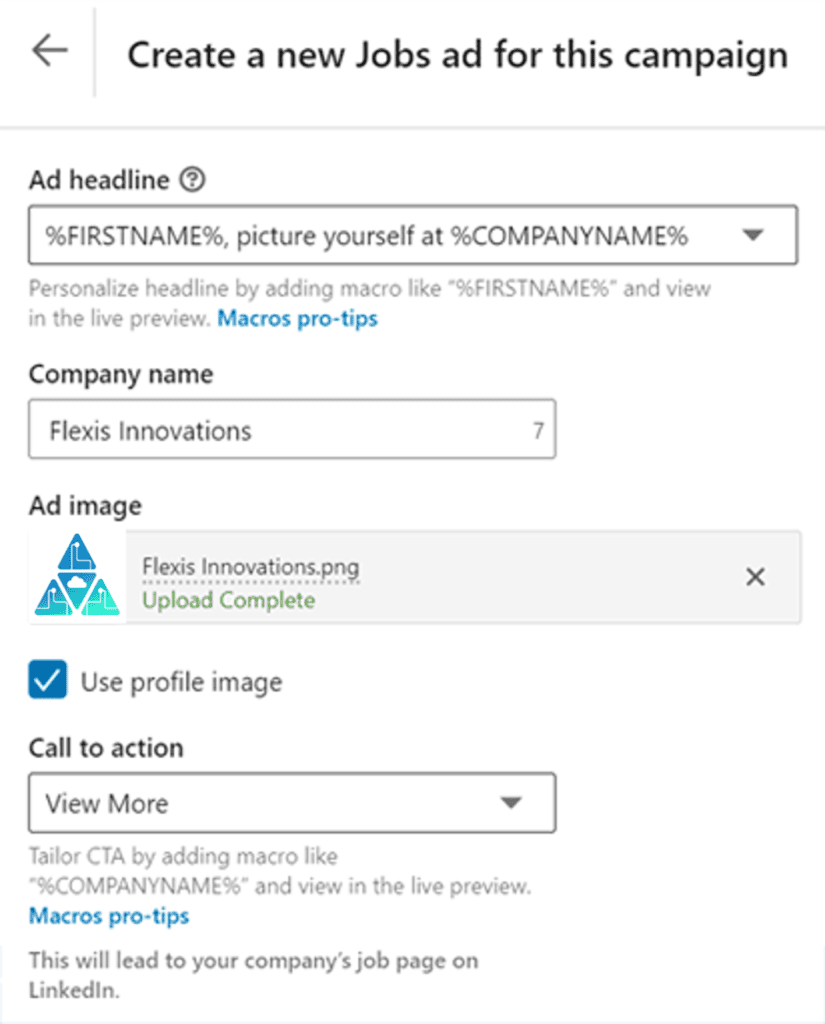
Jobs Ads
Jobs Ads are a Dynamic ad format that gives access to the right talentpool.
You can promote one or more job opportunities to qualified Linkedin members and increase traffic to active job openings based on the Linkedin members skills and experience.
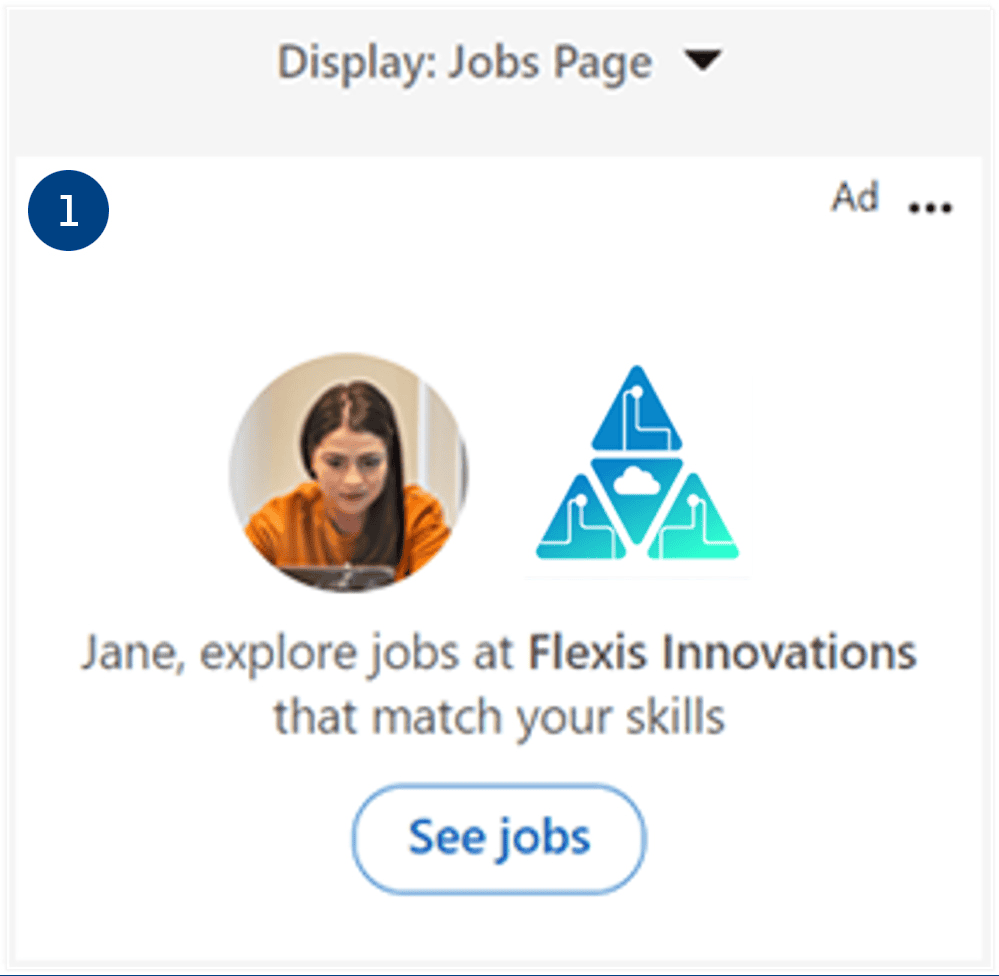
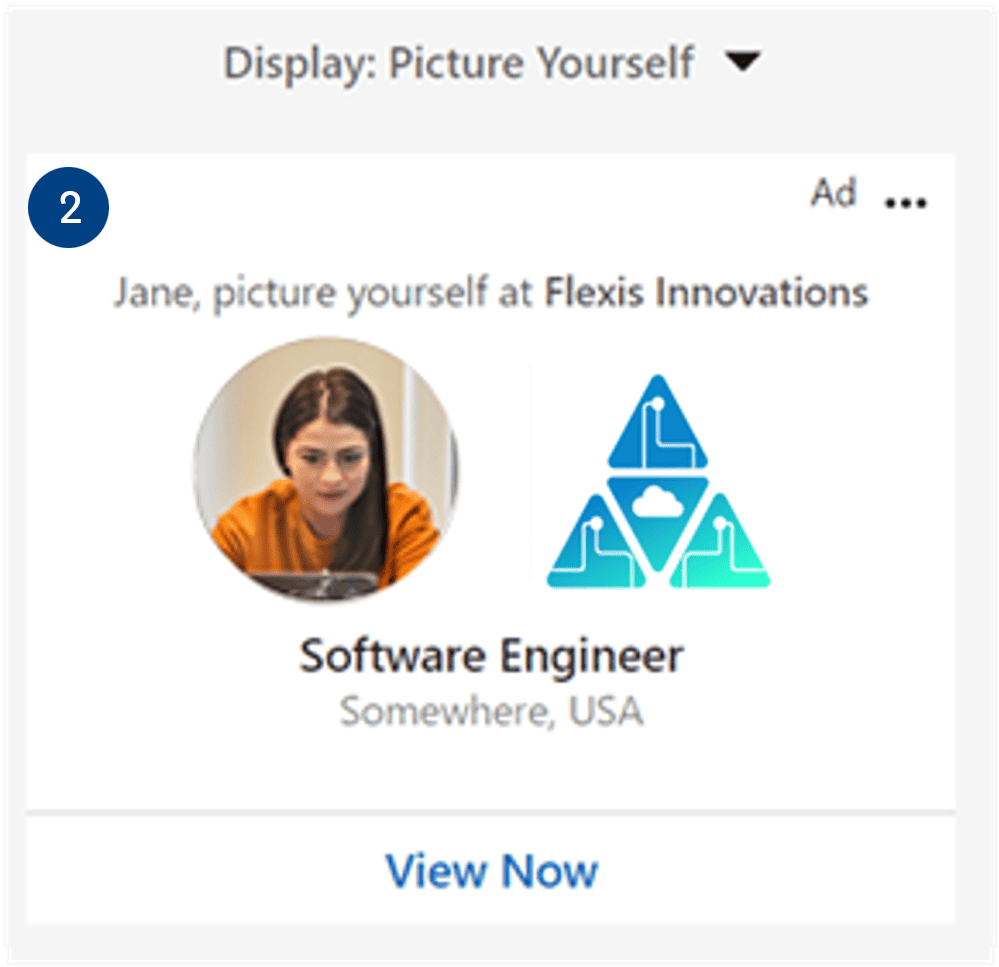
3 Possible Layouts for a Jobs Ad
Linkedin member’s profile determines the layout that shows up in their desktop feed.
- Jobs Page format: If the member has no suitable job matches with the company. they’ll see the jobs ad directing them to your company job page to explore.
- Picture Yourself Format: If the member matches with one or two currenct job openings at your organization, they’ll see the jobs ad with one job suggestion.
- Jobs of Interest format: If a member in the target audience is qualified for 3 or more job openings at your oganization. they’ll see jobs ad with 3 of the available jobs.
Advertiser’s dashboard View
Desktop feed View
Mobile Feed View
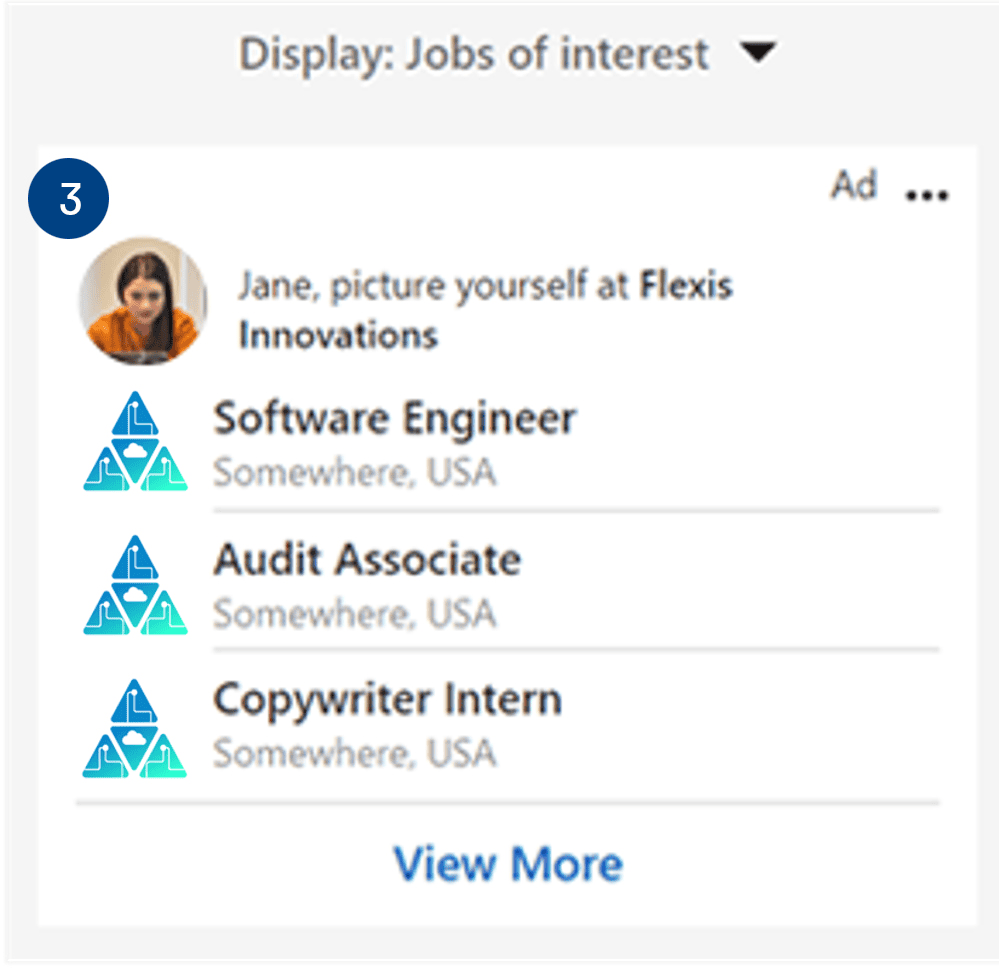
Idea: Post Jobs from your Company Page so that the ads populate with suggestions for your target audience.
Text Ads
If you have got a little bit of leftover ad budget. You can launch a couple of affordable text ads to gather insight into which of the two new brand logos get more engagement.
Advertiser’s dashboard view
Desktop feed view
Idea : Test multiple messages or versions of your ad creative to identify the one that resonates the most with the target audience.
Customer story
Targeting key audience with Linkedin
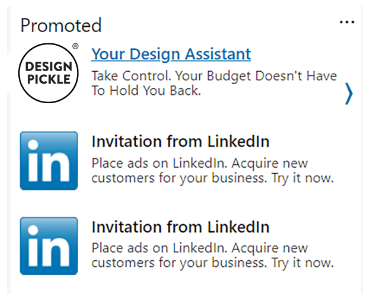
Text Ad
Customer : Design Pickle
Design Pickle, a graphic design company, offers subscription-based plans for its design service.
The challenge was to increase the conversions with its key audience of small and mid-sized businesses (5 MB) in cost-efficient ways.
Their campaign targeted their selec audience with text ads.
The Design Pickle’s SMB-focused Linkedin campaign was a huge success with 463 new signups that yielded an estimated revenue of $1.8 million over 6 months.
Let’s see how much we know –
- The ad formats available to you depend on the objective you choose.
True
False - Which of the following ad formats appear as right rail ads in Linkedin desktop feeds?
Sponsored Content Ads
Sponsored Messaging Ads
Dynamic and Text Ads - Jackson offers 3 different types of consulting services. He wants to engage his potential customers with a short series of questions to ensure they get the right service based on their needs. Suggest a Sponsored Messaging ad format to Jackson.
Message Ad
Conversation Ad
Both Message and Conversation Ad - Which ad format appears within the Linkedin feed as you scroll?
Sponsored ContentSponsored MessagingDynamicText - Ad formats in the Sponsored Messaging category can be used for awareness, consideration, and conversion campaign objectives.
True
False - What makes Conversation Ads and Message Ads unique among all of Linkedin’s ad formats?
They feature CTA buttons.They are associated with a fellow Linkedin member.,
They allow you to engage your audience through Linkedin Messaging.
Summary
An advertiser can put a robust marketing plan that attracts audience members and nurtures them throughout the buyer journey, bringing them from awareness to conversion.
She designs 3 sets of campaigns with a custom combination of ad formats.
A Full-funnel approach plan
Single Image, Video and Thought Leader Ads – An advertiser can bring the brand to life in the feed with a single image- and video-based Thought Leader Ads, giving mobile and desktop users multiply entry points to the company story.
Carousel, Message, and Document Ads
An advertiser can drive engagement from top and middle parts of the funnel with a feed + inbox approach, using Carousel, Message, and Document Ads.
Conversation Ads and Lead Gen Forms
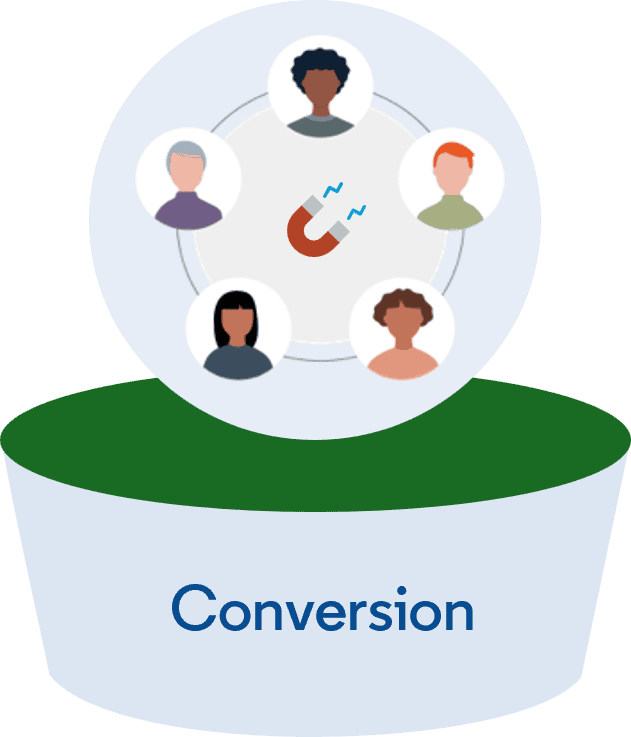
Using Retargeting and Matched Audiences, she brings her most highly engaged audiences to the bottom of the funnel to convert on a Lead Gen Form tied to a Conversation Ad.
Now, that you’ve learned about ad formats on Linkedin and how and how and when to use them, you’re ready to choose the right formats to align with your campaign goals.
Important Link : Comprehensive resource guides on how to make the most of each ad format.